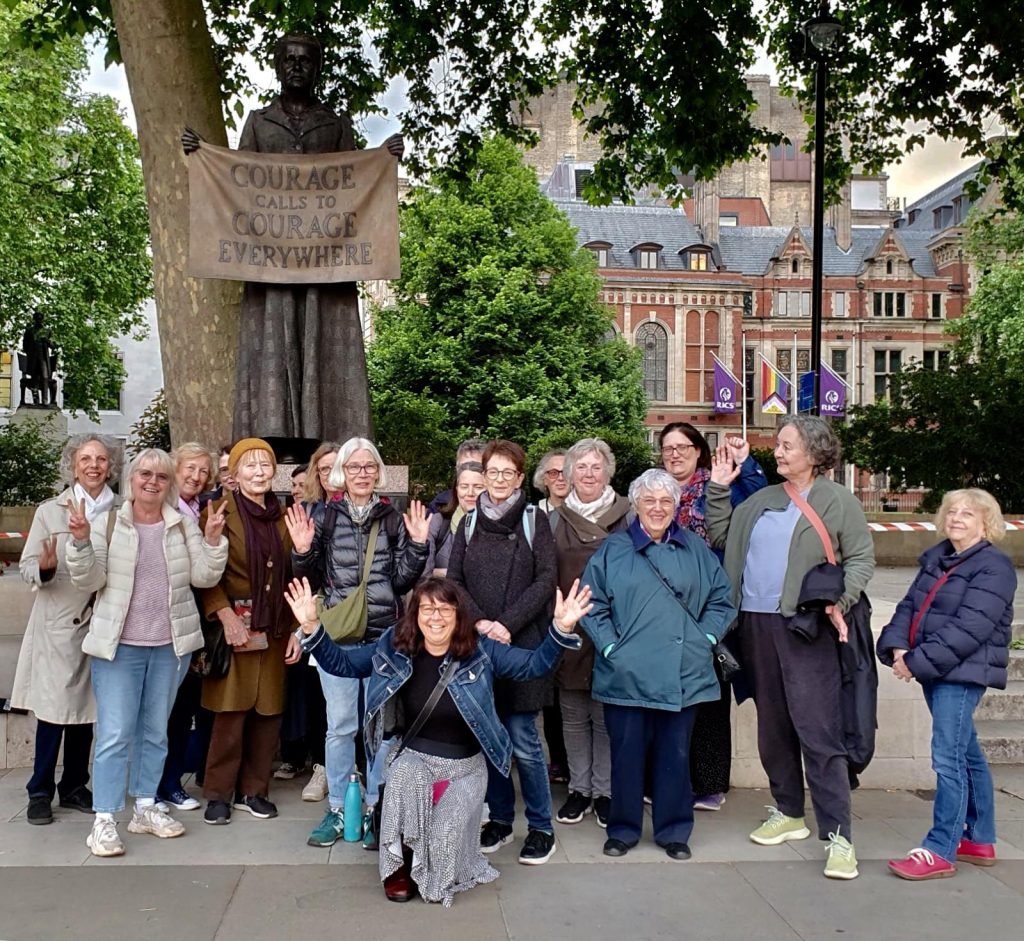
When we were organising our guided walk we had no idea that the subject would be so timely and that we would be exploring Westminster in the middle of a general election campaign! Our wonderful guide, Hazel Phillips, met us in Victoria Tower Gardens and took us on a tour, ‘Westminster – in the eye of political change‘, which chronicled the history of suffrage in the UK. We were reminded of the many struggles over the centuries over the right to vote and that in particular, all women only got the vote less than 100 years ago after many years of campaigning. So we all resolved that it was important to use our vote in the coming election. Despite threats of rain, the evening sun shone and reminded us how beautiful London can be! Thank you Hazel for a lovely evening.
We celebrated Deaf Awareness Week with a wonderful presentation entitled ‘Love and Trust’ by Sian Cooley (president of Teddington WI) who inspired us by describing her years as a teacher of the deaf in Wandsworth schools. She talked about the challenges facing the deaf community, but also told us about many students she had worked with who had gone on to fulfilling careers in teaching, the law, and the aviation industry. She described the many ways of communicating with deaf people, including British Sign Language (BSL) and told us that every country had its own sign language, so learning BSL was equivalent to learning a whole new language. Sian’s presentation included a few short videos with top tips for communicating with the deaf. We were then encouraged to learn how to finger-spell the BSL alphabet and within a short time we were all spelling out our names! The evening finished with a rendition of ‘Lean on Me’, with everyone joining in using our new found BSL skills!”
We were all a bit daunted by the idea of having a go at belly dancing, but we needn’t have worried! Sandrine told us all about the history of belly dancing which has its roots in many cultures and then she gave us a wonderful display of how it is done. The brave ones amongst us then dressed up in the sparkly belts and bras that Sandrine had brought along and then, under her expert tuition were soon shimmying and belly dancing like pros! The rest of us looked on in awe. A thoroughly enjoyable evening was had by all with lots of laughs and giggles along the way!
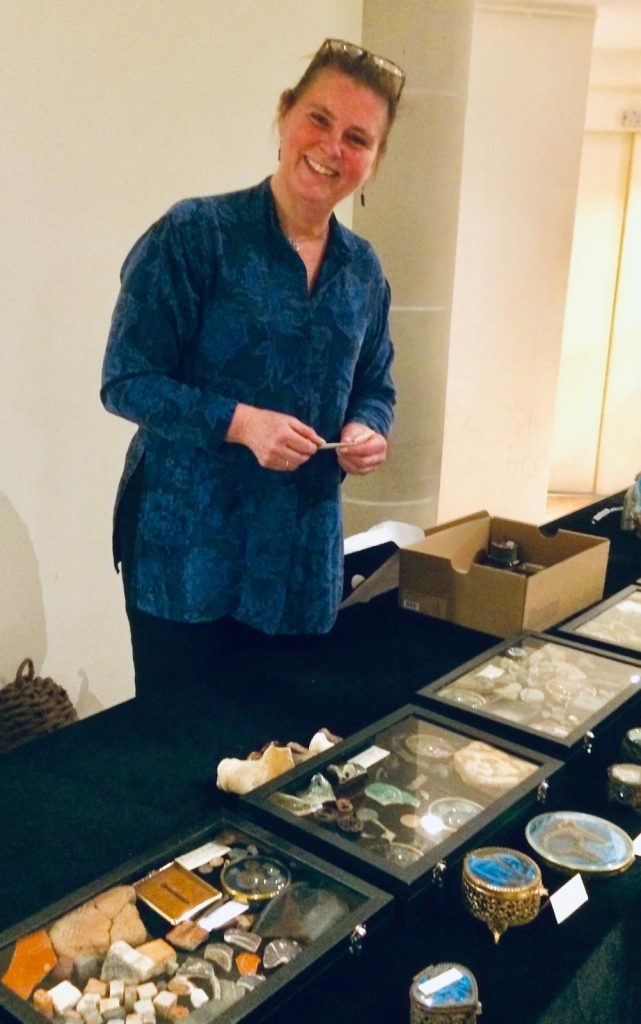
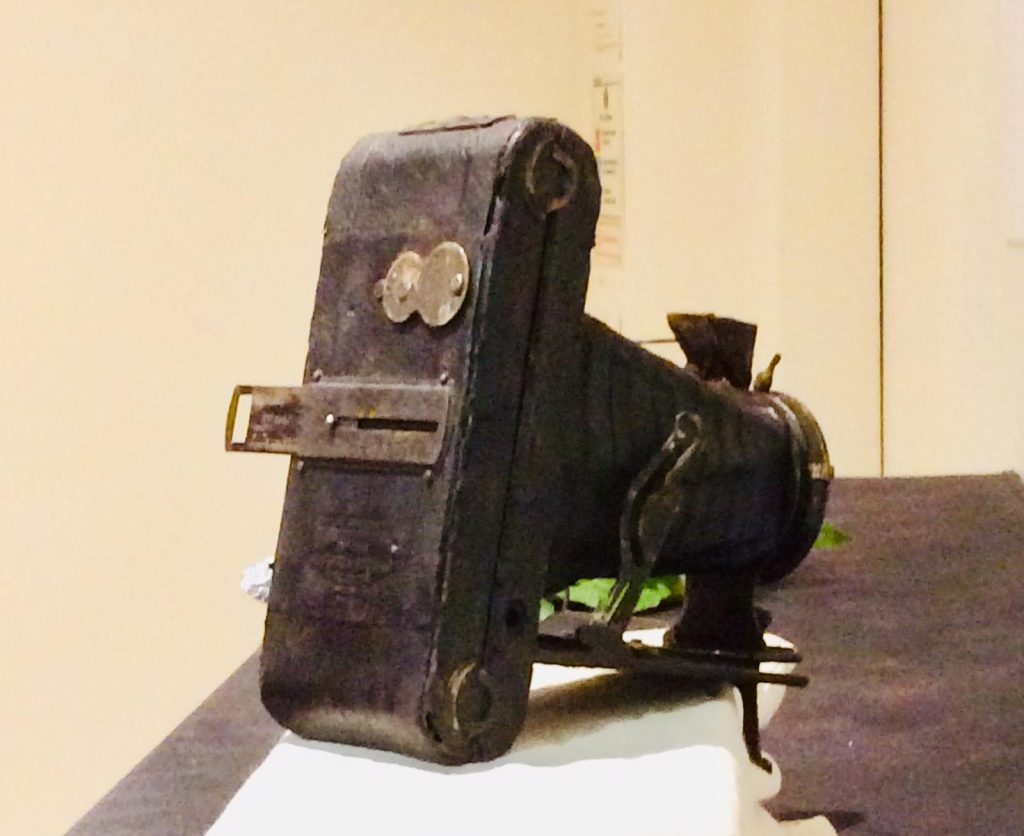
Wow! What an amazing evening! Monika Butling-Smith gave a fascinating presentation on her experiences as a mudlarker on the Thames and showed us a wide range of her finds. She explained how all mudlarkers require a permit from the Port of London Authority and whilst there were thousands with a standard permit, she was one of only fifty members of the Society of Thames Mudlarkers. She also described how she preserved and restored her finds as, even though they had been protected by the mud for centuries, once they were out of the water they quickly rusted or disintegrated. We were able to handle some of the finds, and there were audible gasps when some objects that were hundreds of years old were passed around, and Monika brought them to life with her wonderful descriptions. There was also a local angle when she showed us some of her finds from the Welsh Harp reservoir when it had been drained recently and she had been among a number of mudlarkers invited to see what emerged from the mud, including a camera from the beginning of last century that she had carefully restored.
What a wonderful evening we all had! Nidhi gave us a fascinating talk about the history of saris and showed us a fine array of her own collection, most of which had been passed down by her mother and each one telling its own story. She answered a wide variety of questions before she and her sister helped us all to learn how to drape and wear a sari. Even those who were reluctant at first joined in and we were soon transformed into a stunning and colourful display, with lots of smiles and laughter thrown in!
Download KMS for Windows 11: Activate Your OS Without Retail License
If you want to activate Windows 11, you might be looking for a way to do it without a retail license. The good news is that there are methods available to help you with this. One popular option is to use KMS (Key Management Service) to activate your operating system.
The Windows 11 activation process can be straightforward if you have the right tools. By downloading KMS for Windows 11, you can easily activate your OS without needing to purchase a retail license. This method is especially useful for users who want to save money while still enjoying all the features of Windows 11.
Using KMS allows you to activate Windows 11 quickly and efficiently. It is a reliable solution for those who need to activate their systems without going through the traditional retail channels. So, if you’re ready to activate Windows 11, consider using KMS for a hassle-free experience.
KMS, or Key Management Service, is a tool used to activate Microsoft products. It helps organizations manage their software licenses efficiently. The KMS server setup is essential for using this service. It allows multiple computers to connect and activate their software without needing individual keys.
Using the key management service tool simplifies the activation process for businesses. Instead of activating each product separately, KMS enables bulk activation. This is especially helpful for companies with many computers.
What is KMS and How Does It Work?
KMS works by using a specific KMS activation method. When a computer needs to activate, it connects to the KMS server. This is known as the KMS server connection. The server verifies the request and activates the software.
The KMS activation process is designed to be quick and efficient. Once a computer connects to the KMS server, it can activate its software in just a few moments. This makes it a popular choice for organizations looking to streamline their software management.
Benefits of Using KMS for Windows Activation
Using KMS for Windows activation offers several advantages. One major benefit is that it serves as an enterprise activation solution. This means that businesses can activate many copies of Windows at once, saving time and effort.
Additionally, KMS allows users to automate activation windows. This feature reduces the need for manual activation, making the process smoother. For those looking to activate their Windows 11 license activation, KMS provides a reliable and efficient method.
KMS Download for Windows 11
If you are looking to activate Windows 11, you might want to consider the KMS download for Windows 11. This tool helps you activate your operating system without needing to buy a license.
Using the Windows 11 KMS tool can make the activation process easier and faster. It is designed for users who want a cost-effective way to enjoy all the features of Windows 11.
KMS Download for Windows 11 Free
You can find options for KMS download for Windows 11 free. This allows you to activate your system without spending money.
Here are some benefits of using the free version:
No Cost: You don’t have to pay for a license.
Easy to Use: The setup process is straightforward.
Quick Activation: Activate your Windows 11 in just a few steps.
To activate Windows 11, you will also need a Windows 11 activation key. This key is essential for the activation process.
KMS Download for Windows 11 64 Bit Free
For those using a 64-bit version, the KMS download for Windows 11 64 bit free is available. This version is specifically designed for 64-bit systems, ensuring compatibility and performance.
When setting up the KMS client, follow these steps:
Download the KMS Client: Get the correct version for your system.
Install the Tool: Follow the installation instructions carefully.
Activate Windows: Use the KMS client setup to complete the activation.
Using the Windows 11 KMS client makes the activation process smooth and efficient.
The KMS activation process for Windows 11 is a way to activate your operating system without needing a retail license. This method is especially useful for businesses and organizations that need to activate multiple copies of Windows 11.
Using a KMS activation server allows you to manage the activation process efficiently. This server connects to your computers and helps them activate their Windows 11 software quickly.
Steps to Activate Windows 11 Using KMS
To activate Windows 11 using KMS, follow these simple steps:
Set Up KMS Server: First, you need to set up a KMS server. This server will handle the activation requests from your computers.
Install KMS Client: On each computer, install the KMS client. This client will connect to the KMS server for activation.
Configure KMS Settings: Make sure to configure the KMS settings on each computer to point to your KMS server.
Activate Windows: Finally, run the activation command on each computer to complete the Windows 11 enterprise activation.
Here’s a quick list of the steps:
Set up KMS server
Install KMS client
Configure KMS settings
Activate Windows
KMS Activation for Office Products
KMS activation is not just for Windows; it can also be used to activate Microsoft Office products. This is helpful for organizations that need to manage multiple Office licenses.
To activate Microsoft Office using KMS, follow these steps:
Install KMS Client for Office: Just like with Windows, you need to install the KMS client for Office on each computer.
Connect to KMS Server: Ensure that the Office client is connected to the KMS server.
Run Activation Command: Use the command prompt to run the activation command for Office.
Here’s a quick list of the steps:
Install KMS client for Office
Connect to KMS server
Run activation command
Using KMS activation for Office helps streamline the process of managing multiple licenses, making it easier for businesses to stay organized.
KMSPico: A Popular KMS Activator
KMSPico is a well-known KMS activator that helps users activate their Windows operating systems without needing to buy a license. It is popular because it is easy to use and can activate different versions of Windows. Many people look for the kms pico download to get started with this tool.
Introduction to KMSPico Portable
KMSPico Portable is a version of KMSPico that does not need installation. This makes it convenient for users who want to activate their systems quickly. The KMSPico compatibility is impressive, as it works with various Windows versions. For those setting up Windows 11, the windows 11 kms setup is simple and straightforward.
Key Features of KMSPico
KMSPico has several key features that make it a popular choice for activation. One of the main features is its ability to perform windows 10 KMS activation easily. Users can also find a windows 11 Pro activation key free through this tool, which is a great benefit for those looking to save money.
KMSPico Compatibility with Windows Versions
KMSPico is compatible with many Windows versions, including Windows 11. Users can activate their systems using a windows 11 enterprise license or a windows 11 Pro product key. This flexibility makes KMSPico a valuable tool for anyone needing to activate their Windows operating system.
Here’s a quick list of Windows versions compatible with KMSPico:
Windows 10
Windows 11 Home
Windows 11 Pro
Windows 11 Enterprise
KMSPico is a reliable solution for activating Windows without the need for a retail license.
If you’re looking for ways to activate Windows without using KMS, there are several alternatives available. These options can help you activate your operating system efficiently and effectively.
Other KMS Activators
There are other KMS activators that you can consider. These tools work similarly to KMS and can help you activate Windows without a retail license. Here’s a list of some popular options:
KMSPico
KMSAuto
KMS Activator Ultimate
These activators can be useful for users who want to explore different methods for KMS activation for Windows.
Comparison of KMS Activators
When comparing KMS activators, it’s important to consider their features and effectiveness. Here’s a quick comparison of some popular KMS servers for Windows:
Activator Name
Compatibility
Ease of Use
Activation Speed
KMSPico
Windows 10, 11
Easy
Fast
KMSAuto
Windows 10, 11
Moderate
Moderate
KMS Activator Ultimate
Windows 10, 11
Easy
Fast
For Windows 11 KMS activation, these activators can provide a reliable solution. Make sure to choose one that fits your needs best!
Frequently Asked Questions (FAQ)
Many people have questions about KMS and its use for Windows 11. Here are some common inquiries and their answers.
How to install KMS in Windows 11?
To install KMS in Windows 11, you need to follow a few steps. First, you will need the windows 11 kms tool. This tool helps set up the KMS server management.
Download the KMS Tool: Get the correct version for Windows 11.
Run the Installer: Follow the instructions to install the tool.
Configure the KMS Server: Set up the server settings to manage activations.
Does KMS work for Win 11?
Yes, KMS does work for Windows 11! The windows 11 activation process is simple when using the kms activation method.
Connect to KMS Server: Ensure your computer is connected to the KMS server.
Run Activation Command: Use the command prompt to activate your Windows 11.
How do I download RSAT for Windows 11?
To download RSAT (Remote Server Administration Tools) for Windows 11, you need to ensure your system is ready for windows 11 license activation.
Visit the Settings: Go to the settings menu on your computer.
Select Optional Features: Look for the option to add features.
Search for RSAT: Find and download the RSAT tools you need.
Make sure to complete the kms client setup to ensure everything works correctly.
Is KMS safe to activate Windows?
Using KMS to activate Windows is generally considered safe. It allows for windows activation without retail license.
Follow the KMS Activation Process: Make sure to follow the steps correctly to avoid issues.
Use Trusted Tools: Always download KMS tools from reliable sources to ensure safety.
We had another great turnout for our January meeting at St Anne’s, when we enjoyed a selection of board and card games and discussed the four resolutions shortlisted for this year’s NFWI campaign. There was lots of lively chat and discussion and at the end of the evening everyone voted on their preferred resolution. A record seven members had a birthday in January, with both Frances and Penny celebrating a significant birthday (ending in ‘0’!) – many thanks to Michelle who made one of her spectacular cakes which was enjoyed by all.
We all had a wonderful time at our Christmas party, brilliantly hosted by Frances again. Members brought a wide variety of delicious food and the wine flowed! We enjoyed three rounds of the ‘True or False’ game during which we learned useful facts, such as Russia’s surface area being larger than Pluto’s! There was also a secret Santa and a competition for the best decorated scarf (won by Rebecca), expertly judged by Mimi and Shirley. Thanks again to Frances for letting us invade your lovely home!
Another great turnout for our November meeting – we started with the Annual Meeting at which reports from the President and Treasurer were received as well as the re-election (by acclaim) of Caroline as our President for the coming year. The Committee were also re-elected. Then on to the fun part of the meeting with an excellent quiz – many thanks to Denise for being our quizmaster and congratulations to the winning team!
Another great turnout for our monthly meeting – this time we all had a go at line dancing. Angie and Maureen did a wonderful job of teaching us some basic moves and by the end of the evening we were all tapping our heels and toes and thoroughly enjoying ourselves! Whether we were all in time and in step is another matter!